 LifeAPP
Say it —
it’s written down.
An everyday assistant with tasks, habits, money, projects and a journal in one app. Say a sentence and LifeAPP turns it into tasks, expenses and income on its own.
A voice that understands what you meant
No forms, no picking categories. Say it the way you’d say it to a friend — LifeAPP picks out amounts, currencies, dates, times, projects and accounts.
- One sentence, several recordsAn expense, an income and a task in one go.
- Understands TajikAnd English and Russian, even mixed together. Tajik works with an account.
- Saves on its ownRecords are saved after 2 seconds, and a single “Undo” takes them all back.
- Always at handHold “+”, tap the mic, use the app icon shortcut or the widget button.
Everything that matters, in one place
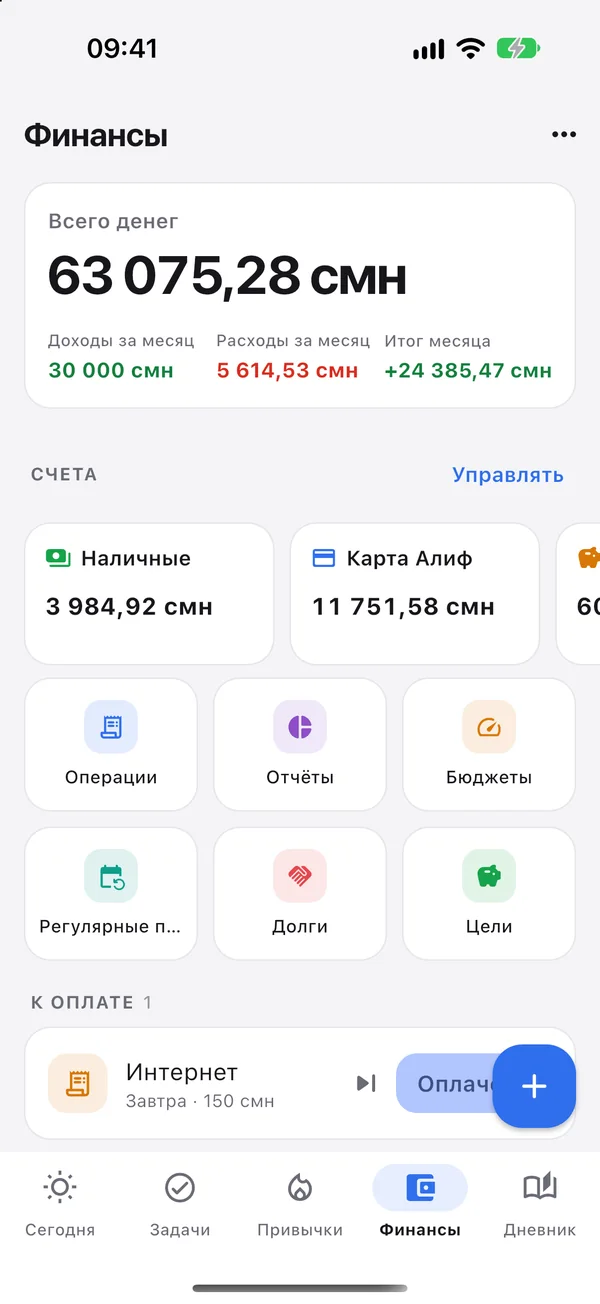
LifeAPP replaces your to-do list, habit tracker, wallet and journal. Everything is connected, so you see the whole day at a glance.
Today
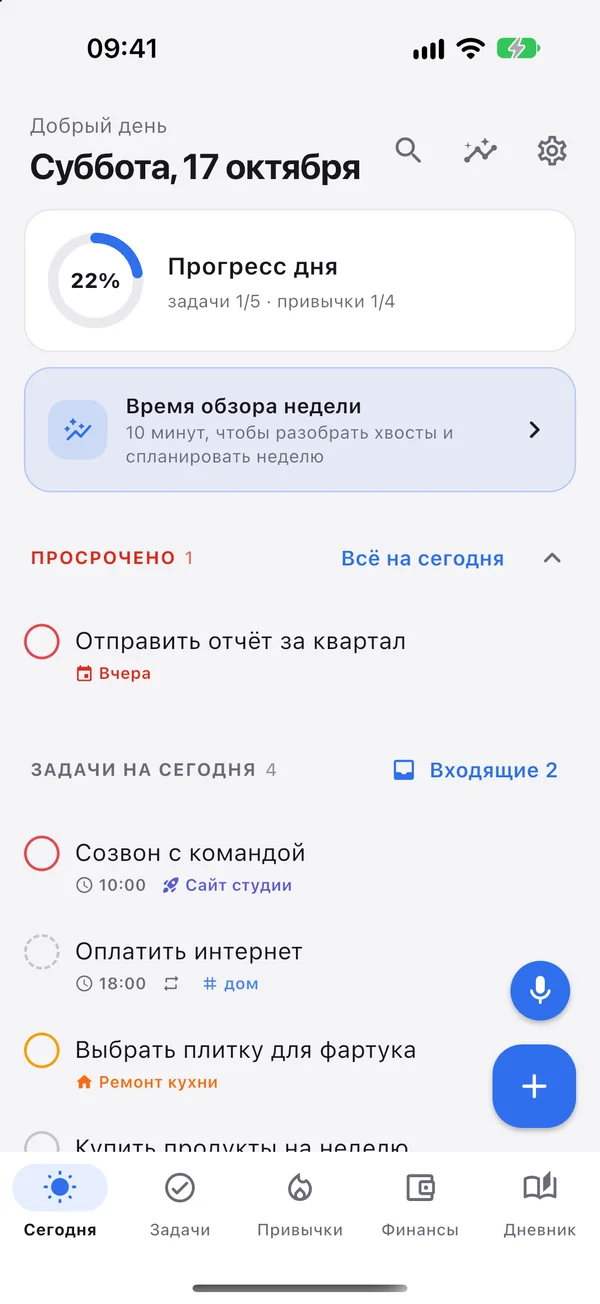
One screen for the day: tasks, habits, progress and what’s overdue. Move everything to today with one tap.
Tasks & projects
Inbox, due dates, repeats, priorities, checklists and tags. Quick capture understands “tomorrow at 10 #home”.
Habits
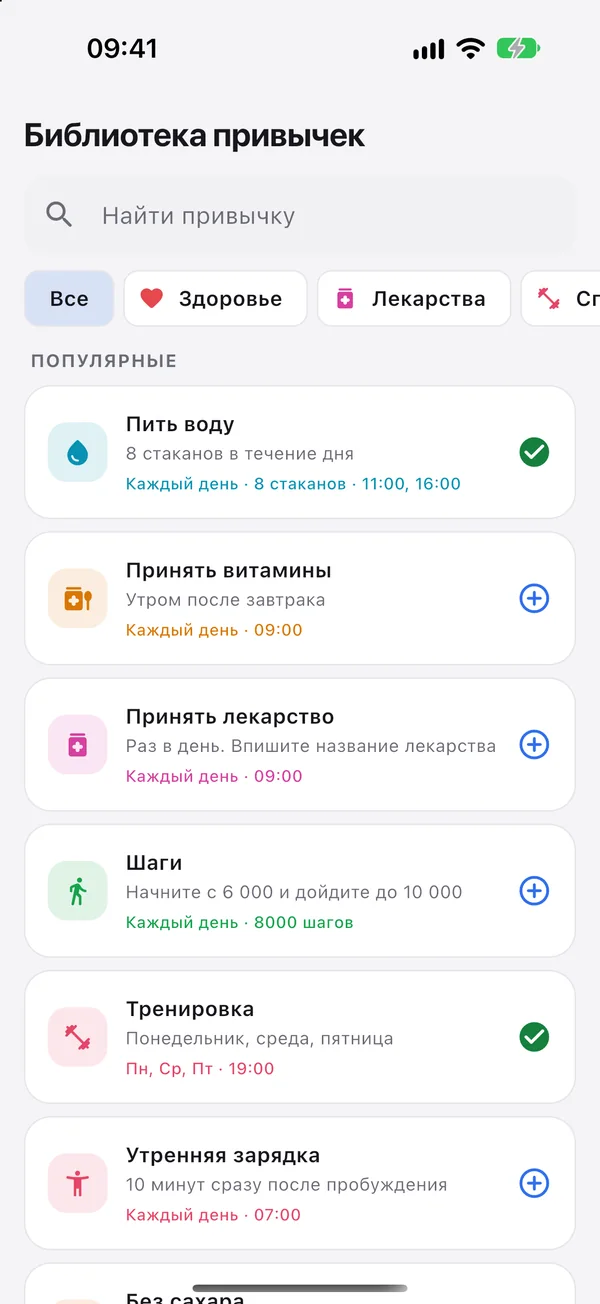
80+ ready-made templates, flexible schedules, reminders, streaks and an activity map.
Money
Accounts in any currency, categories, budgets, recurring payments, debts and savings goals.
Journal & weekly review
Mood and notes for the day, and once a week ten minutes to clear loose ends and plan ahead.
Statistics
Productivity, habit consistency, mood and money in clear charts.
Widgets & shortcuts
Today’s tasks on your Home Screen, voice capture from the widget and the app icon.
Lock & backups
Face ID or fingerprint lock, a daily on-device backup and restore from a file.
Plan and actuals for every cohort
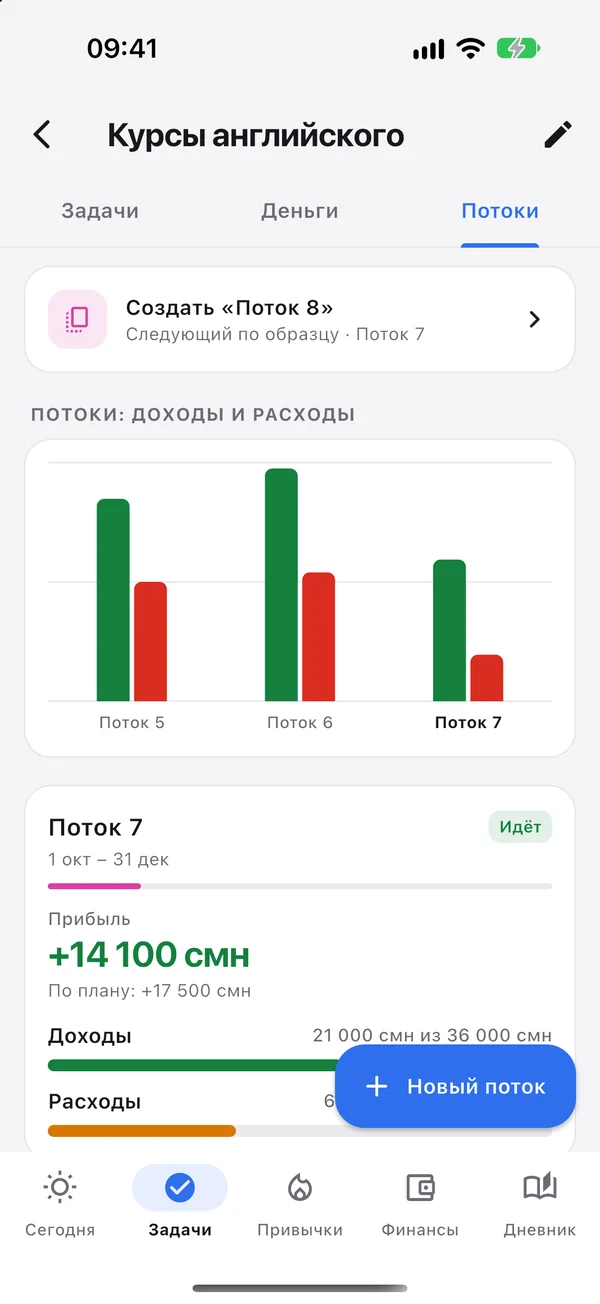
Run courses in intakes, seasons or stages? Give each one its own plan for income and spending and see the profit right away.
- Plan by categoryActuals come from real transactions, with a percentage done.
- Cohort profitIncome, spending, unplanned costs and the result in the project currency.
- “Next cohort from this one”The plan and tasks are copied and the dates shift on their own.
- Your own wordsCohort, season, stage, intake — whatever you call it.
80+ habits for every part of life
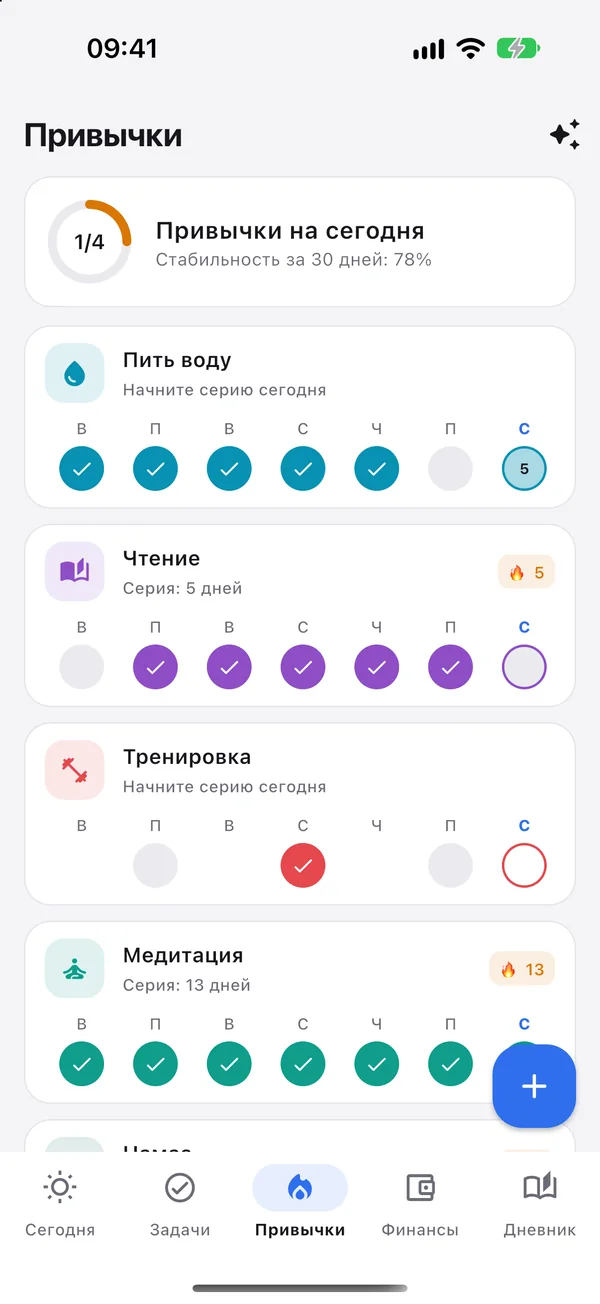
Pick a ready-made habit with a sensible schedule and reminder, or create your own.
- Take medication on timeA reminder at the right hour and a check-in straight from the notification.
- Flexible schedulesEvery day, on chosen weekdays or N times a week — with a daily target such as 8 glasses of water.
- Streaks and statisticsConsistency over 30 days and a year-long activity map.
Shared projects and wallets with partners
Create a team, send an invite link and run the project’s tasks and money together.
- RolesOwner, member and viewer — everyone sees and does what they should.
- See who added whatEvery transaction and task shows its author.
- Personal stays personalPartners don’t see your personal tasks and money, and team money stays out of your personal statistics.
Choose how you use it
On first launch LifeAPP asks what suits you. You can switch modes in Settings at any time.
Just on this phone
No sign-up and no internet needed.
- All data stays on the device
- Voice is recognised by the phone: English and Russian
- Backup to a file and a daily on-device backup
With an account
For several devices and working with partners.
- Sync between devices
- Teams: shared projects and wallets
- Cloud speech recognition, including Tajik
Leaving online mode deletes nothing: your data stays on the phone.
Your data is yours
We don’t make money from data. LifeAPP has no ads, trackers or third-party analytics.
No ads, no tracking
No advertising IDs, no profiling and no selling of data.
Offline means on your phone
Without an account nothing leaves the device.
Server in the EU
With an account, data is stored on our server in Lithuania and travels only over a secure connection.
Audio isn’t kept
Voice recordings are used only for recognition and are not stored on the server.
App lock
Face ID, Touch ID or fingerprint — biometric data stays with your phone’s system.
Delete in one step
Delete your account and server data right in the app.
Frequently asked questions
Do I need to sign up?
No. In “Just on this phone” mode LifeAPP works without an account and without internet. An account is only needed for sync, teams and cloud speech recognition.
How much does LifeAPP cost?
Everything that runs on the phone is free. Plus, with cloud voice in Tajik, unlimited sync and cohorts in every project, costs 29 TJS a month; Team costs 99 TJS a month. See the Pricing page.
Does LifeAPP understand Tajik?
Yes. The interface is fully translated into Tajik, and voice capture understands Tajik and mixed speech when you use an account. Without an account the phone recognises speech — currently English and Russian.
What if my voice was misheard?
Before saving you see the record cards and can edit them, or tap “Undo” to take back every record from that sentence.
How do I invite a partner to a project?
Turn on online mode, open “Settings → Teams”, create a team and tap “Invite”. Send the link to your partner and move the project and its account into the team.
What happens to my data if I change phones?
With an account, just sign in on the new phone. Without one, save a backup in “Settings → Backup & restore” and restore it on the new device.
How do I delete my account?
In the app: “Settings → Account & sync → Delete account”. Details are on the Account deletion page.
Start with one sentence
Download LifeAPP and say what needs doing today. The app takes care of the rest.